Walk-in consultation hours -
now also via video.
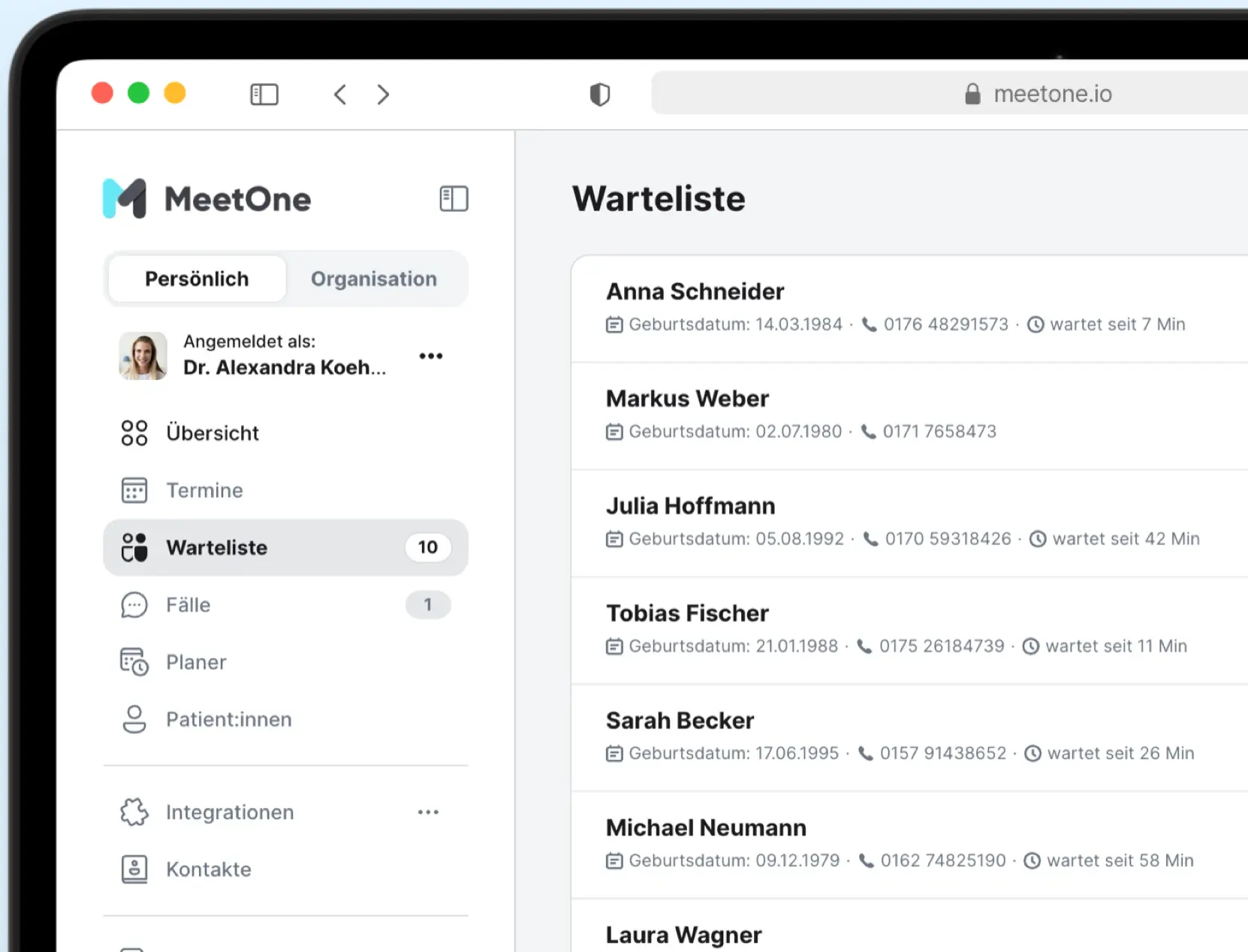
Patients place themselves in the virtual waiting room without an appointment - via a form on your website. Your team sees everyone waiting in a live list and calls up one case after the other. Just like open consultation hours, but without a crowded waiting room.
What is the digital waiting room?
Open video consultation hours that organize themselves. Check-in, waiting room and video lobby – all in one.
No more manual coordination. The digital waiting room organizes your open video consultation hours – from check-in and the waiting list through to the consultation. Your team can see the current status at all times and call the next patient with just one click.
-
Patients check themselves in
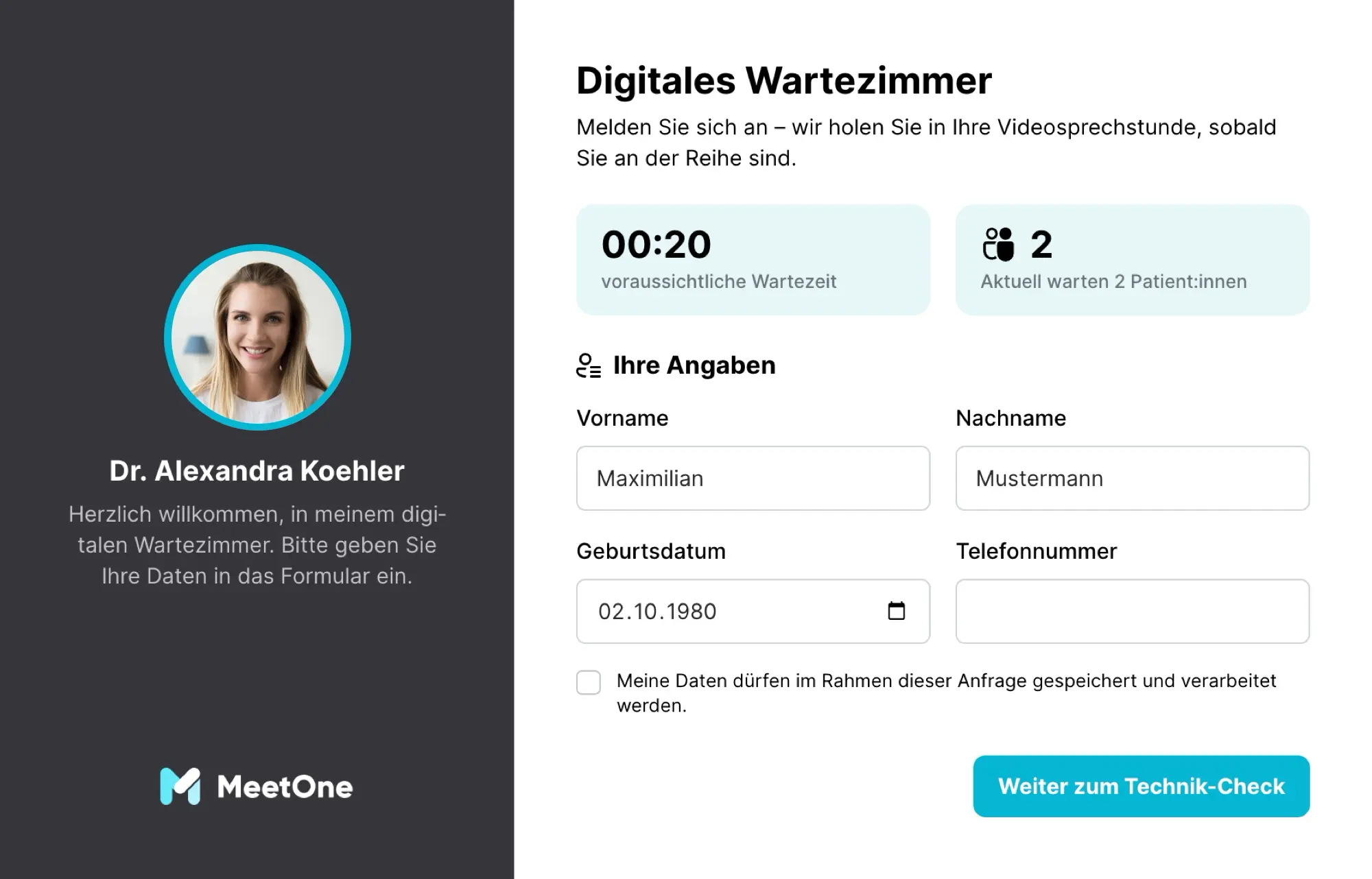
Via a link or an embedded form on your website - with name, date of birth and phone number. A tech check and the virtual waiting room follow.
-
Your team works through the list
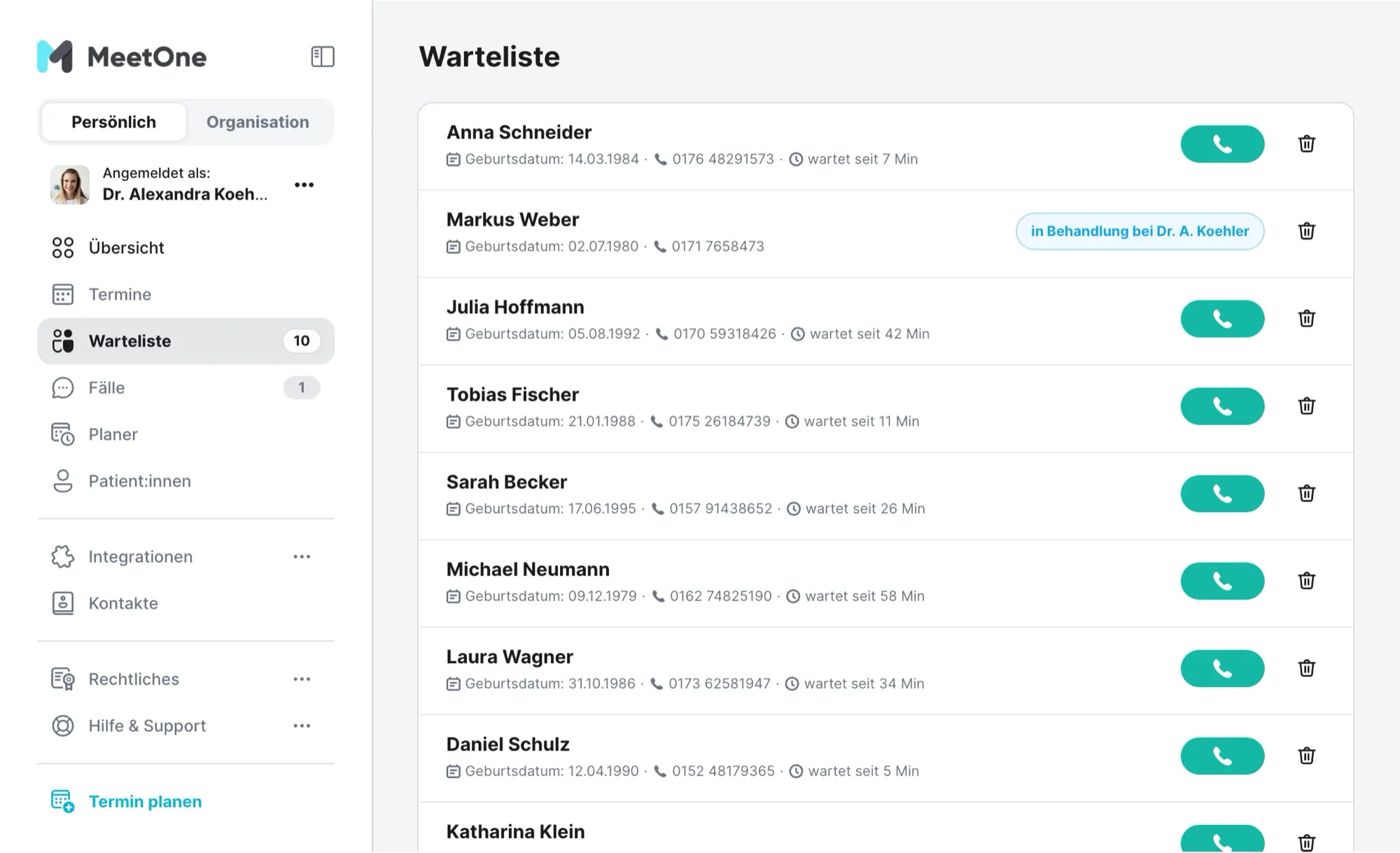
All doctors in the organization see the same live list. One click calls up the next case - for everyone else it is instantly marked as "in treatment".
-
Waiting happens in the video lobby
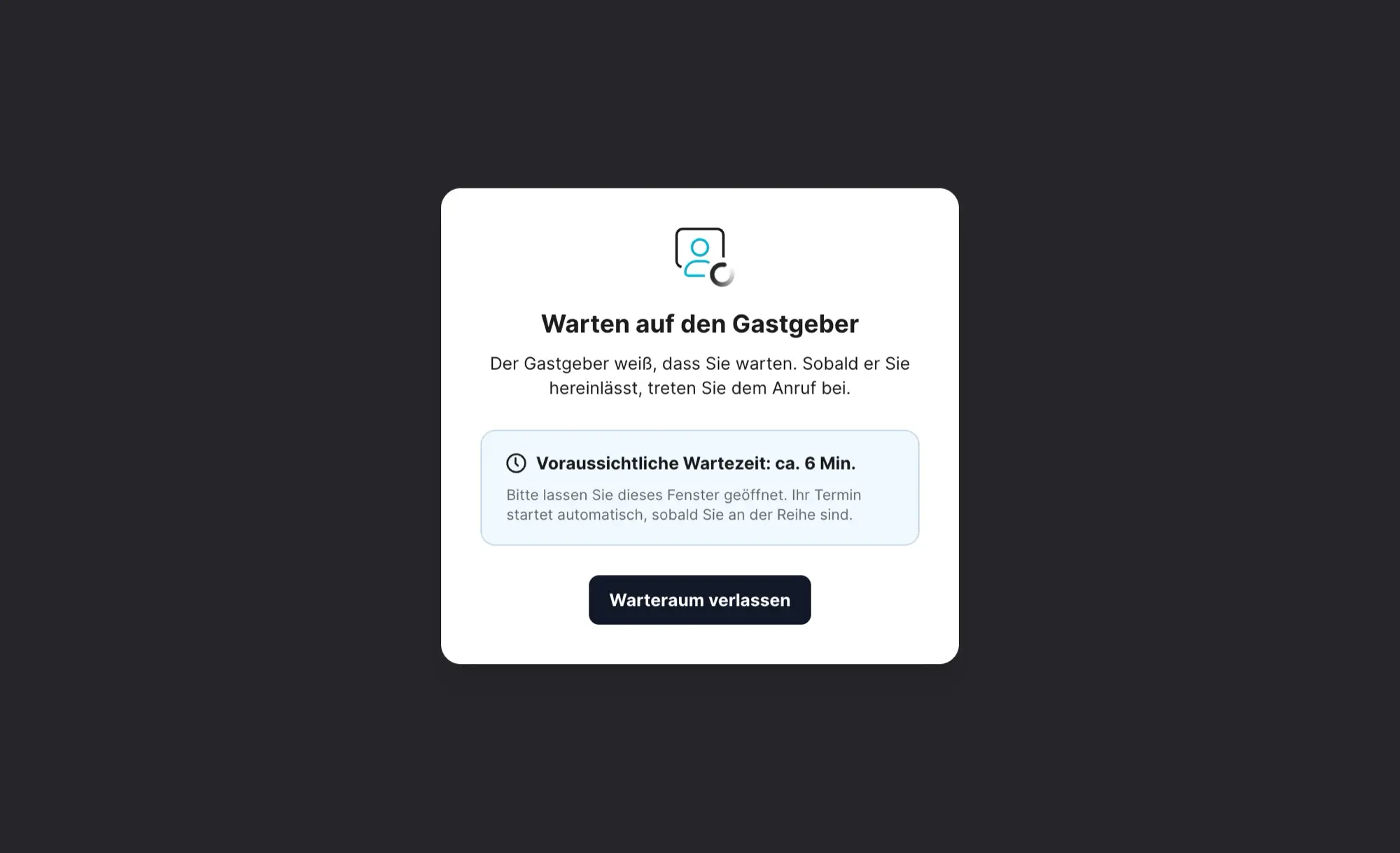
Patients see their estimated waiting time and enter the call automatically as soon as the doctor lets them in.
How it works
From check-in to consultation - in six steps.
The digital waiting room uses the proven MeetOne lobby: no new process, no installation - neither for your team nor for your patients.
Check-in
The patient opens the form - as a link or embedded on your website - and enters name, date of birth and phone number.
Tech check
Camera, microphone and connection are tested before entering - technical issues surface before the consultation starts.
Virtual waiting room
The patient waits in the browser and sees the estimated waiting time - no app, no account.
Live waiting list
The case instantly appears on your organization's waiting list - with a live counter in the sidebar, visible to all doctors.
Call-up
A doctor starts the appointment, admits the patient and begins the video consultation.
Completion
When the call ends, the entry is completed and disappears from the list - the next case can be called up.
Who is it for?
Relieves the phone. Shortens the wait.
Walk-in consultation hours create peak loads - at the front desk, on the phone and in the waiting room. The digital waiting room distributes exactly that load.
For patients
Waiting without a waiting room
- No phone call, no appointment hunt - check in and wait
- Wait from home instead of at the practice
- Estimated waiting time instead of an uncertain queue
- Runs in the browser - no app, no account
For practices & organizations
Walk-in hours without phone peaks
- Patients check themselves in - the phone stays free
- Several doctors work through the same list in parallel
- No duplicate call-ups: each case can only be opened once
- Abandoned check-ins are cleaned up automatically
Built for organizations
One waiting list, the whole team.
The digital waiting room is designed for organizations: all doctors see the same list, the order stays fair, and no case gets lost.
-
No case twice
If two doctors call up the same case at once, exactly one takes over - for everyone else the entry visibly switches to "in treatment".
-
Real time without reloading
The list fills and empties live. If the connection drops, a notice prompts you to refresh the view.
-
Organization or doctor link
Check-in links exist per organization or per doctor - the preferred doctor is noted, but the case still lands on the shared list.
Initials instead of full names
Room names only contain the patient's initials. Full names are visible exclusively to authorized practitioners in the protected waiting list.
Hosted in Germany
Like all MeetOne features - GDPR-compliant, KBV-certified video service, peer-to-peer encrypted calls.
Embed or link
The check-in runs as an iframe directly on your website or as a link - for example on your homepage or in a cancellation email.
Frequently asked questions about the digital waiting room.
-
Do patients need an account or an app?
No. Check-in, tech check and the video consultation run entirely in the browser - on a smartphone, tablet or computer. Name, date of birth and phone number are all that is needed.
-
Does the digital waiting room replace appointment booking?
No, it complements it. Plannable concerns continue to run via appointment requests or online booking - the waiting room covers the spontaneous demand for which patients would otherwise call or walk in unannounced.
-
Can several doctors call up cases at the same time?
Yes, that is exactly what the waiting list is built for. Every doctor in the organization independently calls up the next case. The system ensures that no case is opened twice.
-
What happens when someone leaves the waiting room?
Orphaned entries are cleaned up automatically. Your waiting list only shows patients who are actually waiting - nobody calls up empty rooms.
-
How does the check-in form get onto our website?
You receive ready-made iframe code for embedding as well as direct links - per organization or per doctor. You will find both in the integrations section of your MeetOne account.
-
Do patients see how long they have to wait?
Yes. The number of people waiting and an estimated waiting time are shown at check-in, and the estimate is continuously updated in the waiting room.
See the live waiting list in action.
In a no-obligation demo we walk you through the complete flow - from your patients' check-in to the call-up by your team.